¶ 1. Log in to Binance API Management
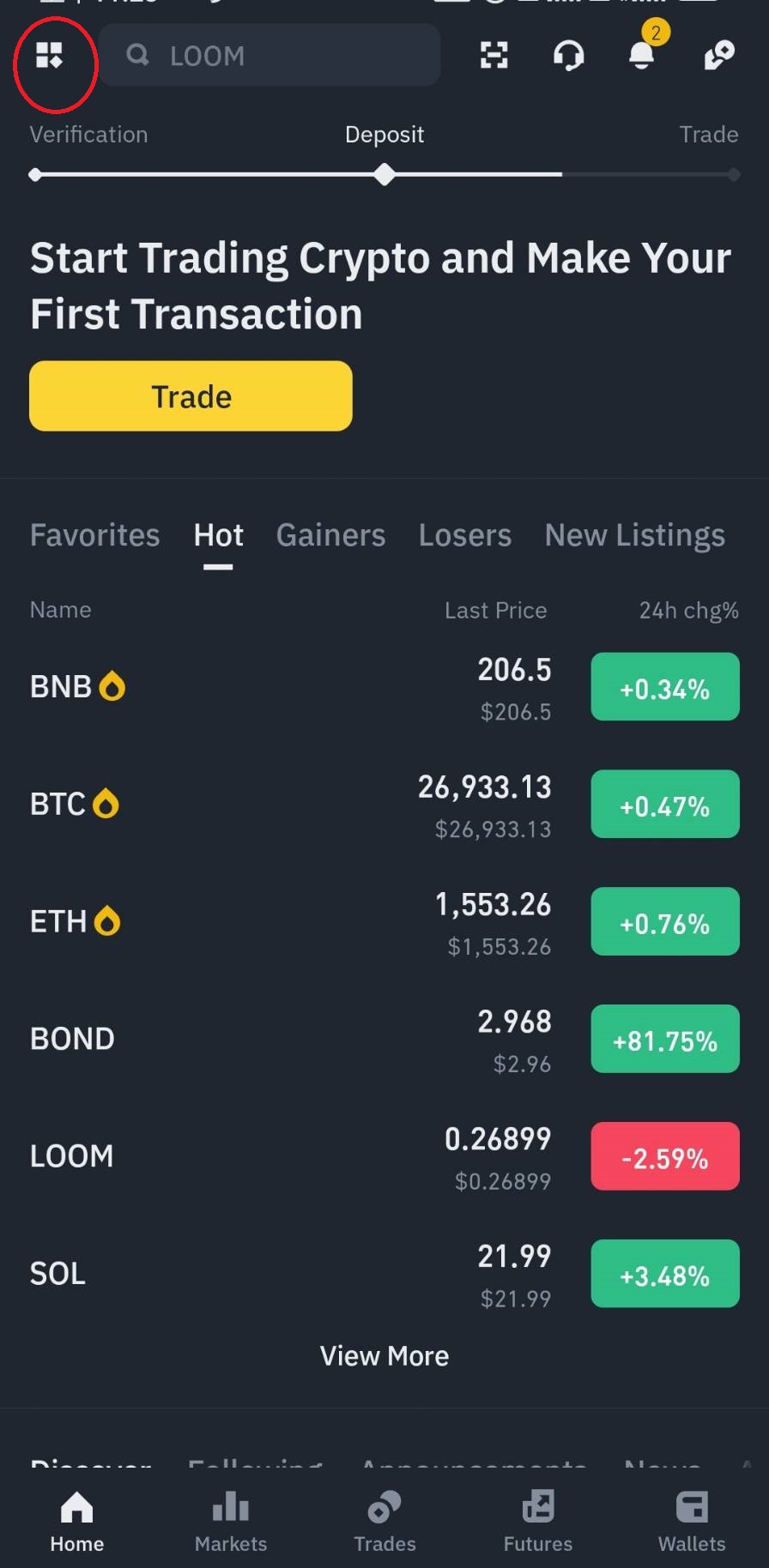
(1)Click on the menu in the upper left corner.
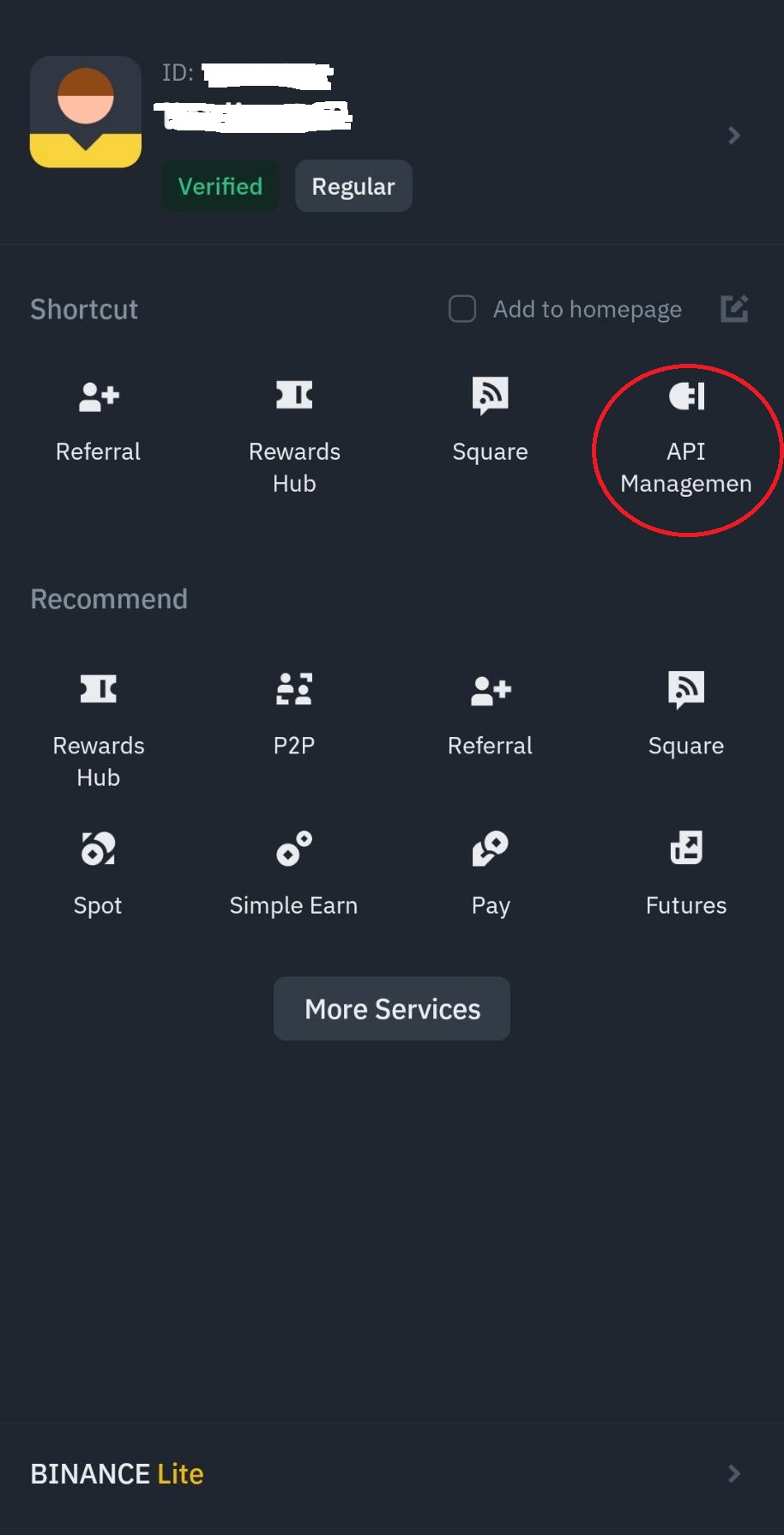
(2) Select 【API management】.
¶ 2. Create API
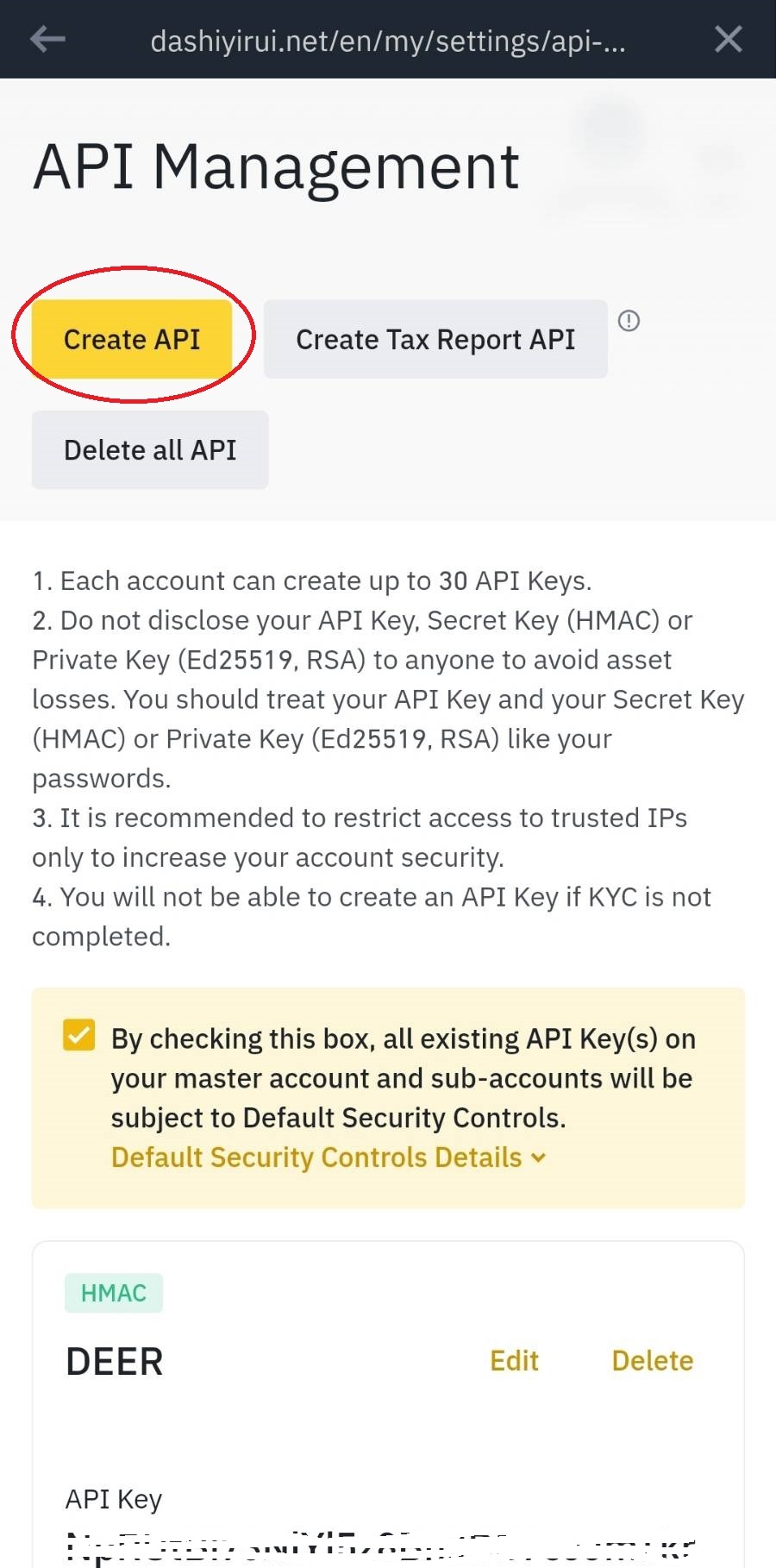
(1)Click 【Create API】.
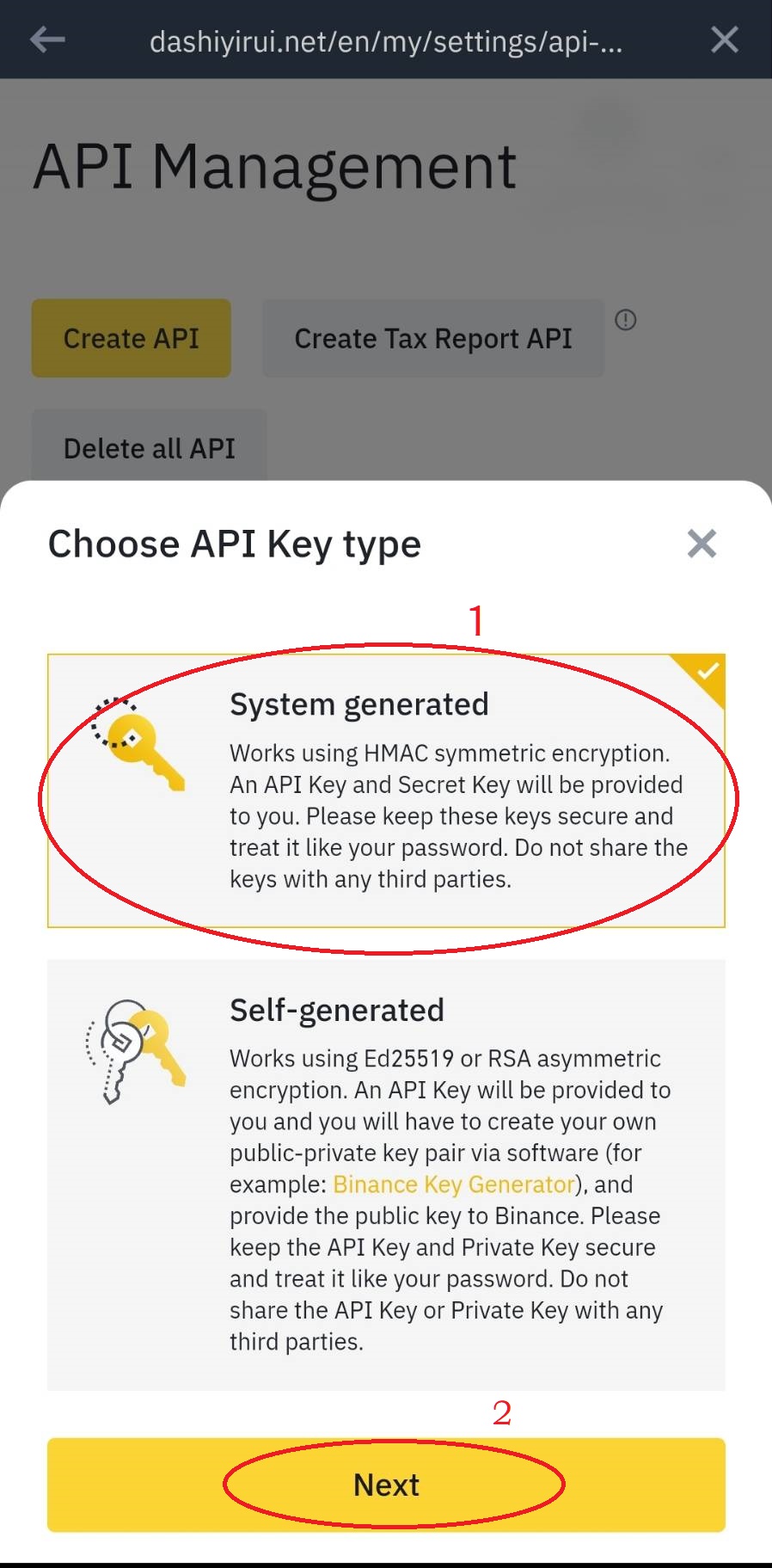
(2)Select 【System generated】 and press【Next】.
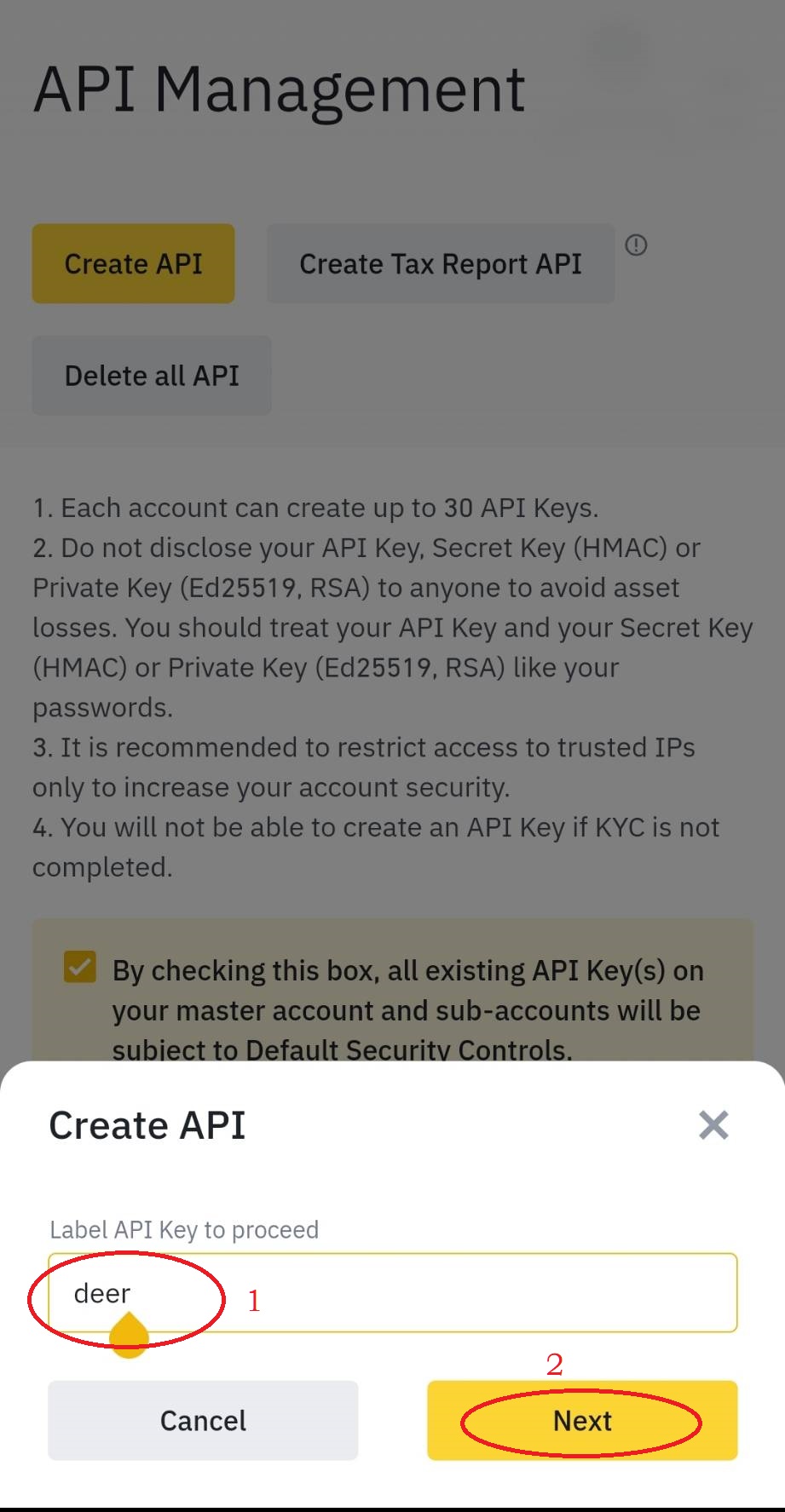
(3)Please enter a label name and press 【Next】.
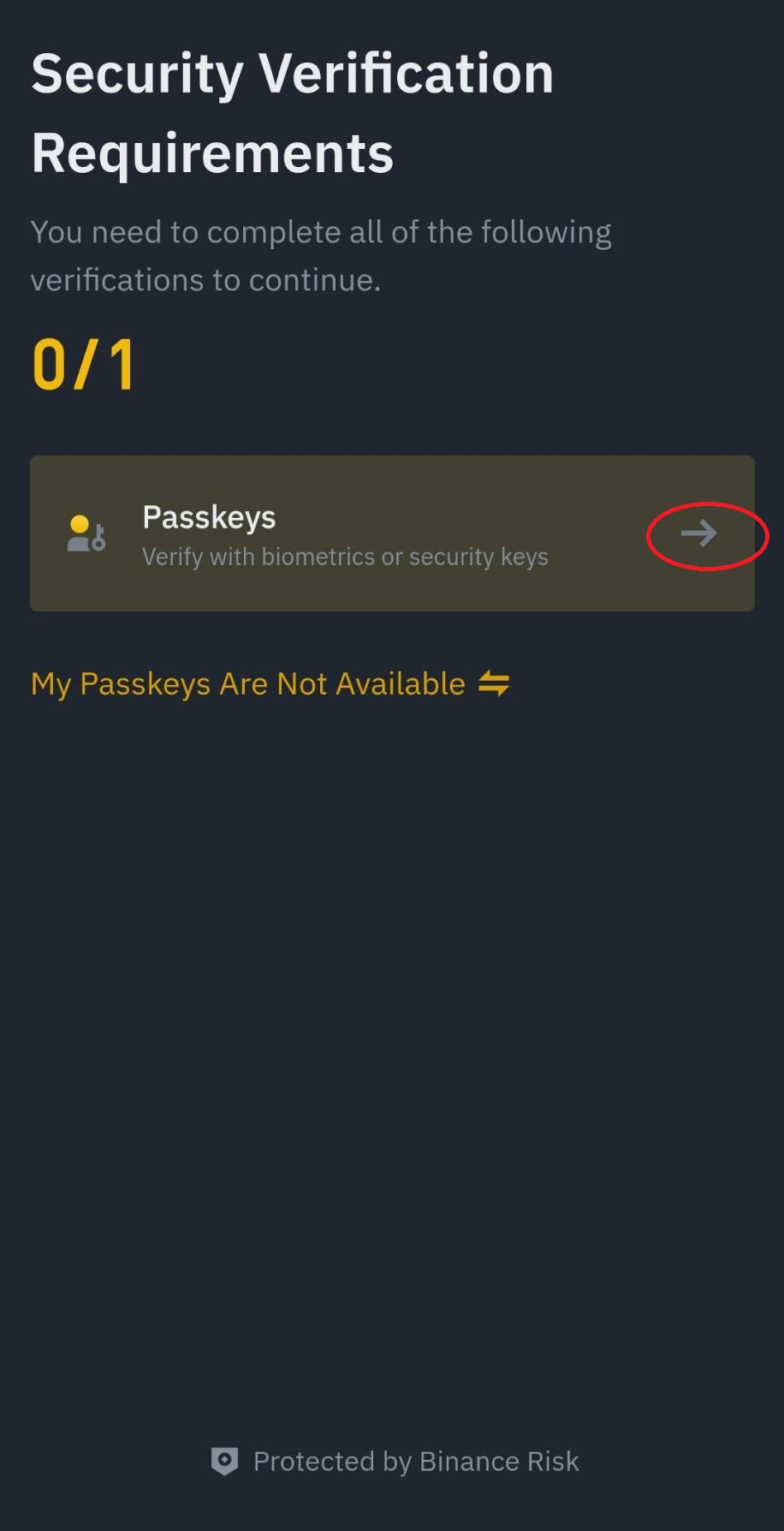
(4)Click the right arrow, then please pass the device's pattern or fingerprint verification.
(5)In this way, the 【API Key】 & 【Secret Key】 have been generated.
Before proceeding with this step, please confirm that notepad software (similar to Google Keep) is installed on your mobile phone.
After the API KEY is generated, please immediately copy both the API Key and the Secret Key, and save them in Notepad software to prevent loss.
¶ 3. Edit permissions
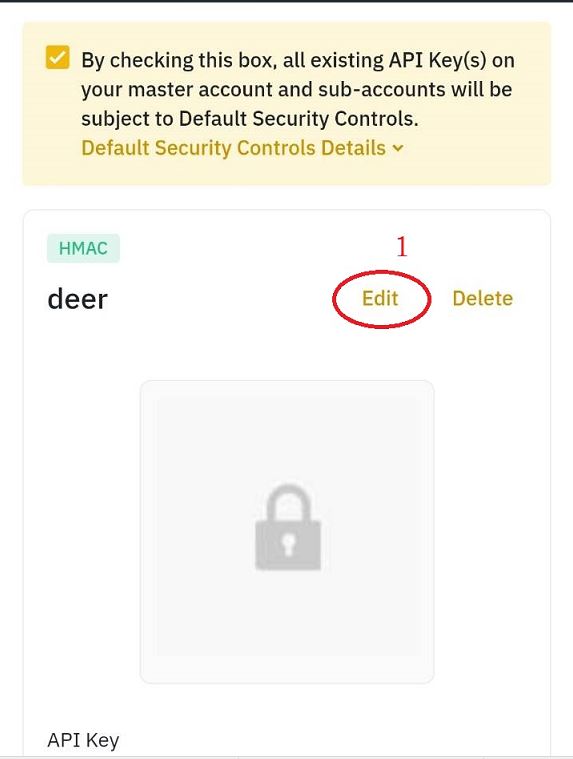
(1)Click 【Edit】 on the picture below.
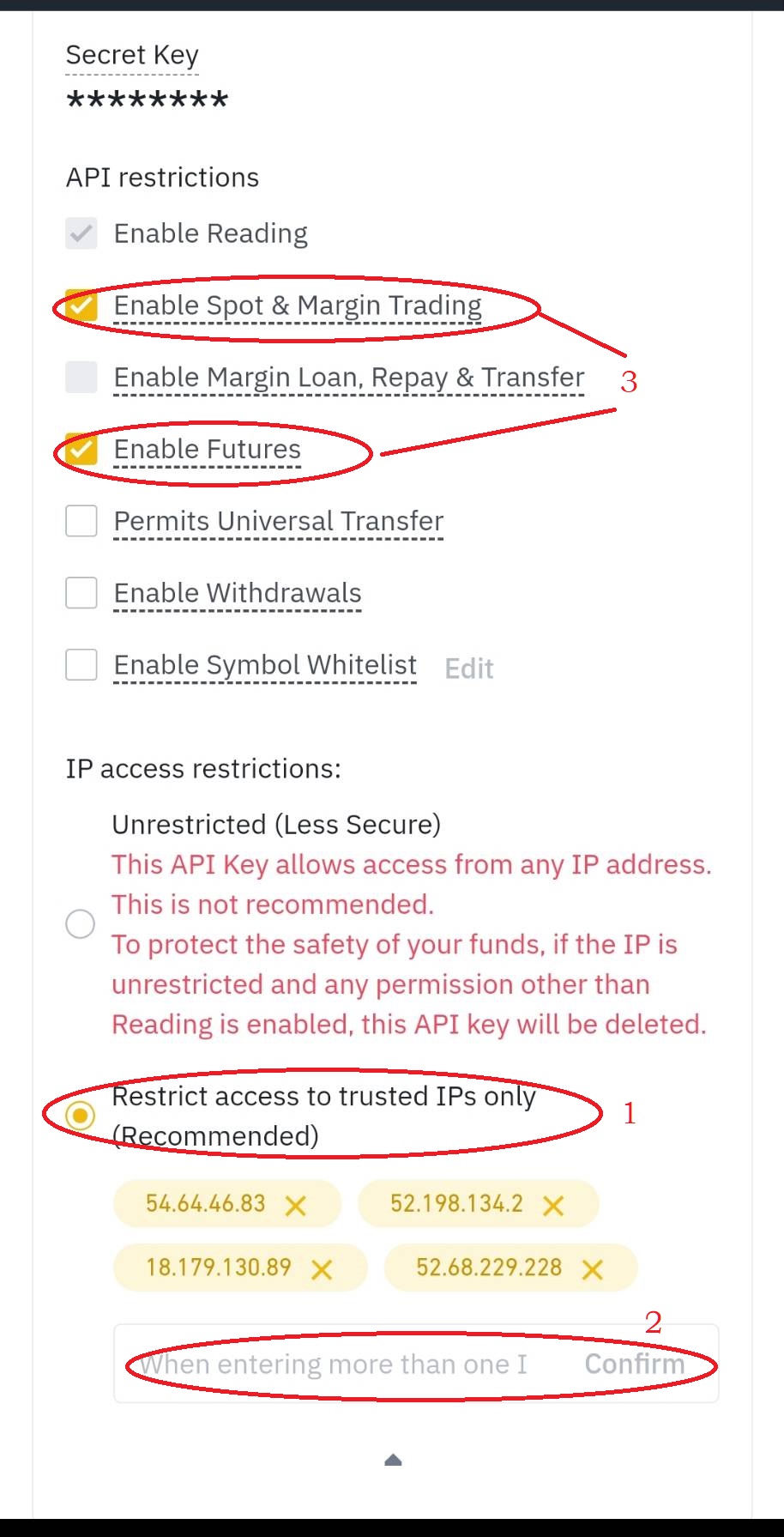
(2)Then scroll to the end of the page and select 【Restrict Access to Trusted IPs Only (Recommended)】.
1. Please copy & paste trusted IPs into the address box, then click 【Confirm】.
54.64.46.83 52.198.134.2 18.179.130.89 52.68.229.228
2. Select 【Enable Spot & Margin Trading】 and 【Enable Futures】.
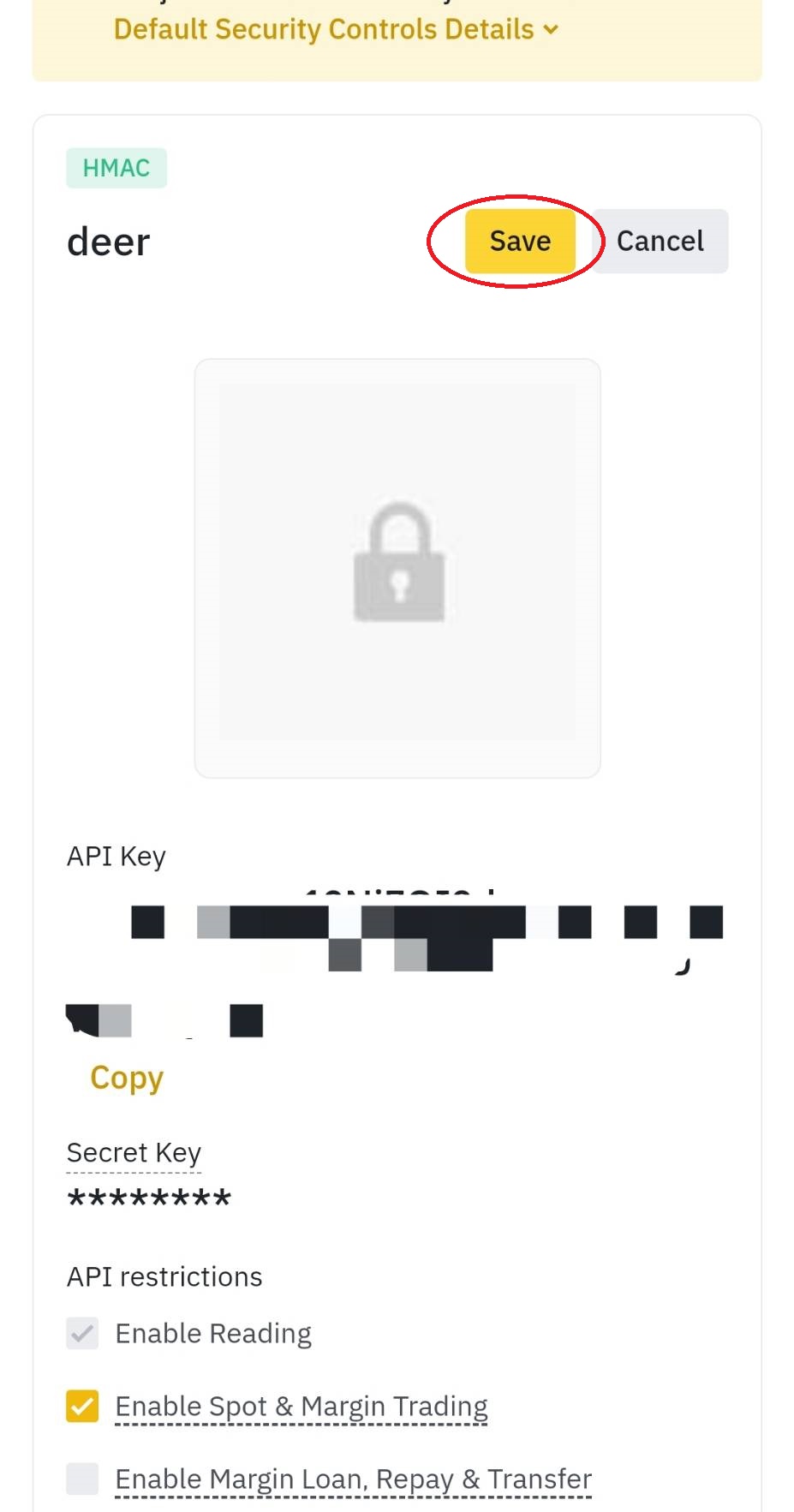
¶ 4. Save the API
(1)Click 【Save】.