¶ 1. Log in to Binance official website
(1) Go to Binance official website and log in.
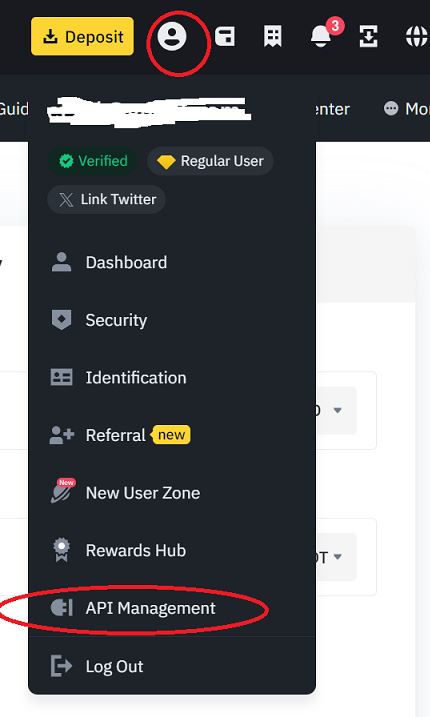
(2) Click on your avatar, then find 【API Management】 and click on it.
¶ 2. Create API
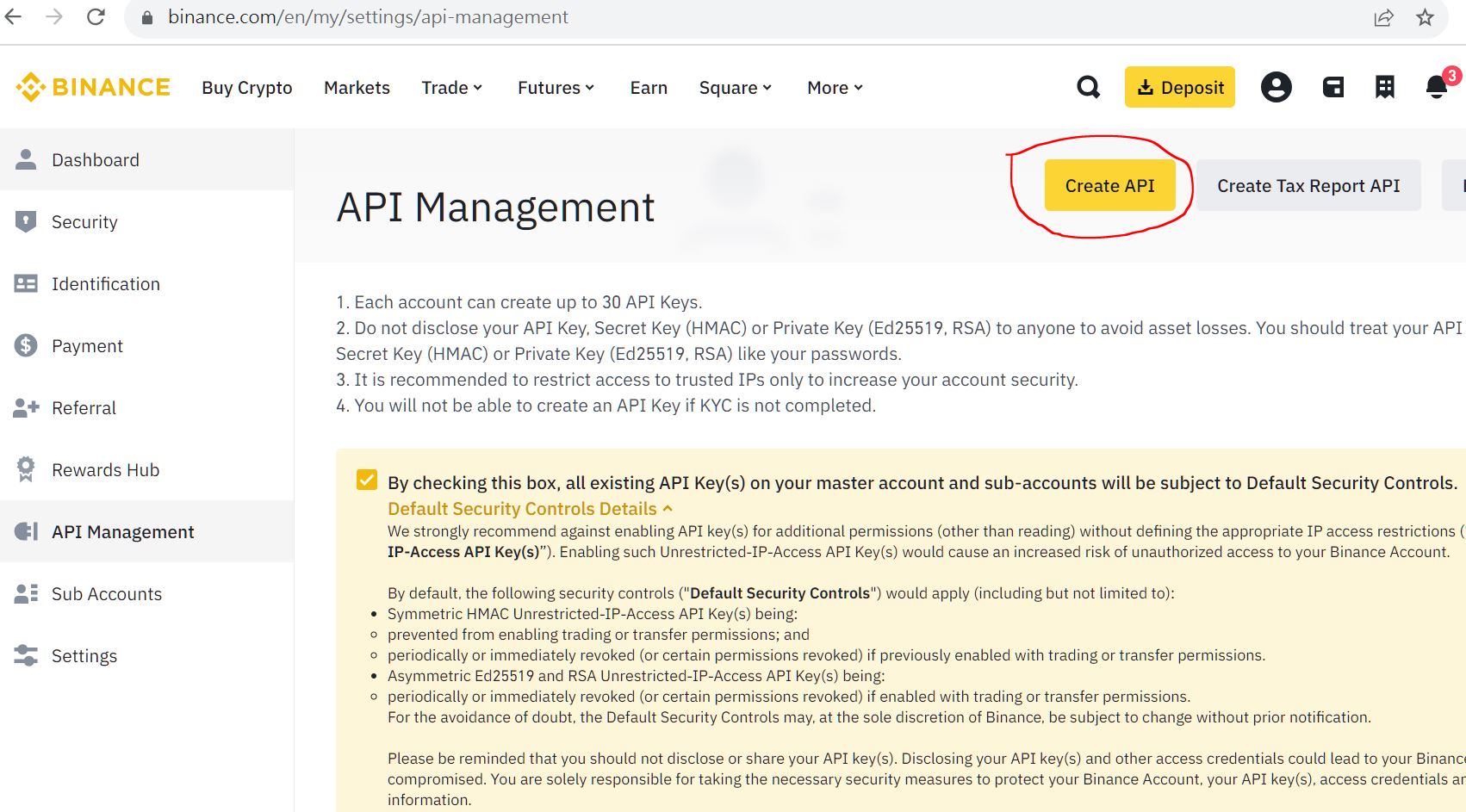
(1) Click 【Create API】 on the API Management page.
¶ 3. Choose API Key type
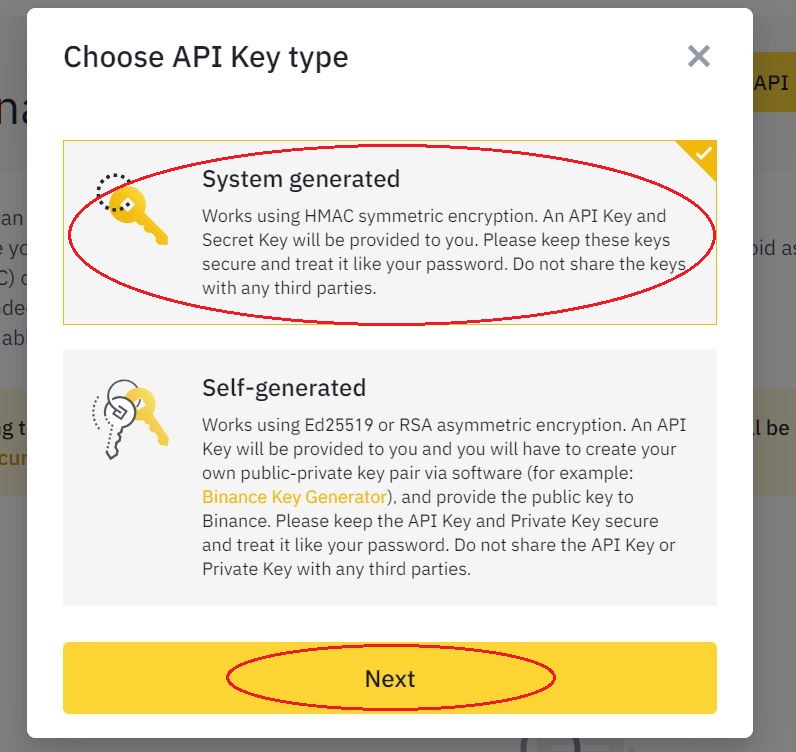
(1) Click【System generated】, then click【Next】.
¶ 4. Enter Label
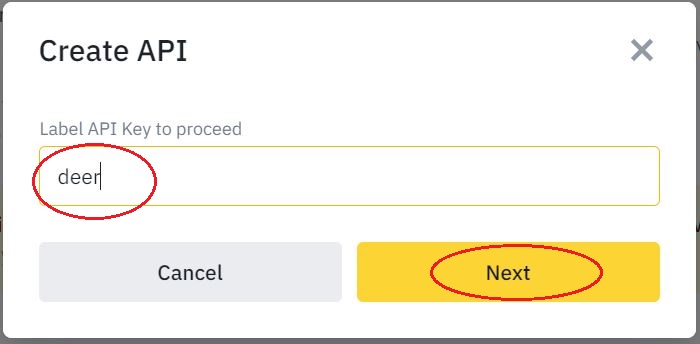
(1) Enter a label, then press 【Next】.
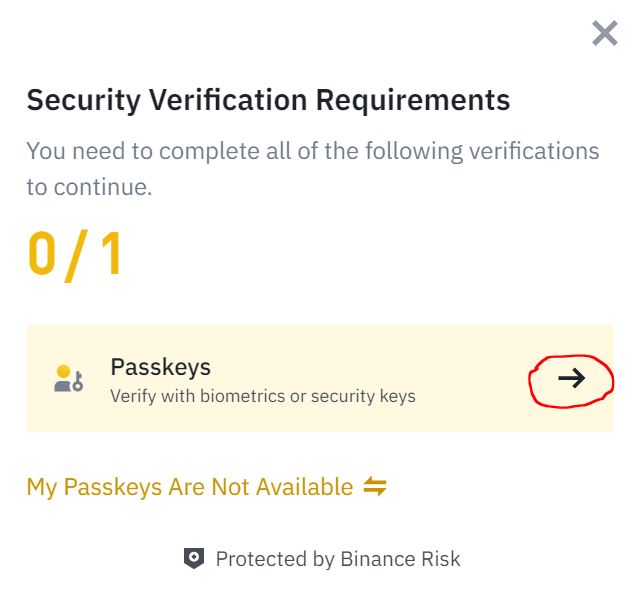
¶ 5. Security Verification Requirements
(1) Click 【Passkeys】in the Security Verification Requirements dialog box.
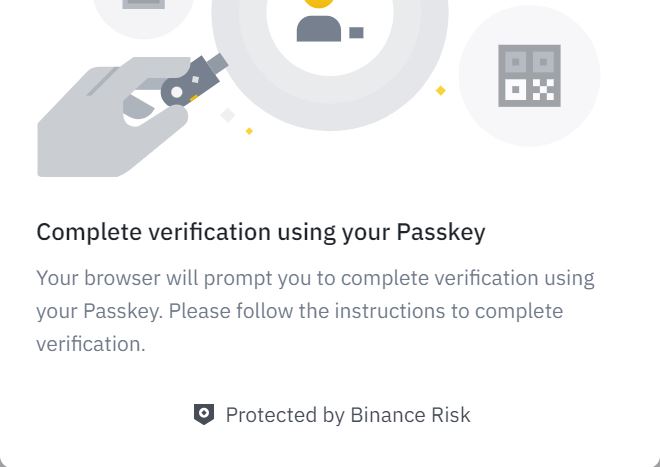
¶ 6. Follow the information prompts
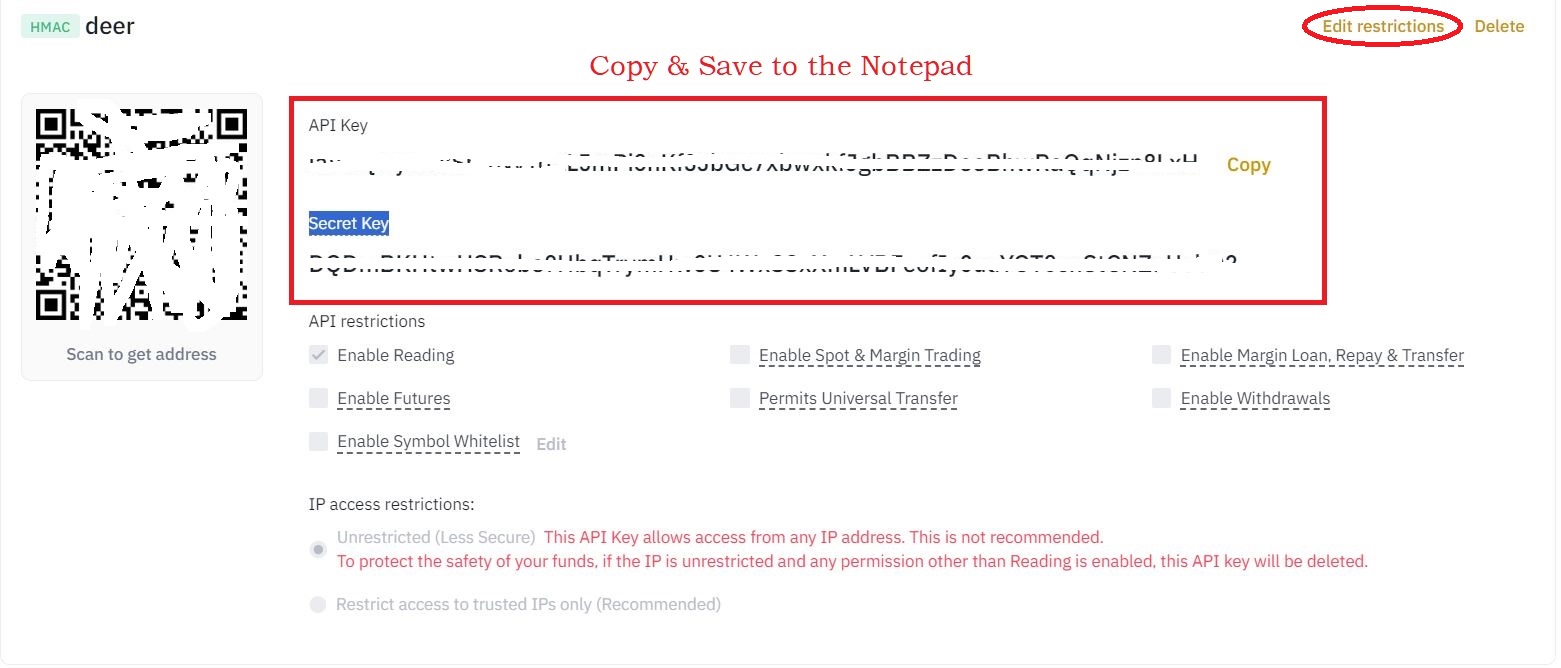
¶ 7. The API Key and Secret Key will be generated.
Please immediately copy both the API Key and the Secret Key, and save them in the Notepad software or text file to prevent loss.
¶ 8. Edit Restrictions
(1) Click 【Edit restrictions】 in the upper right corner of the picture in step 7.
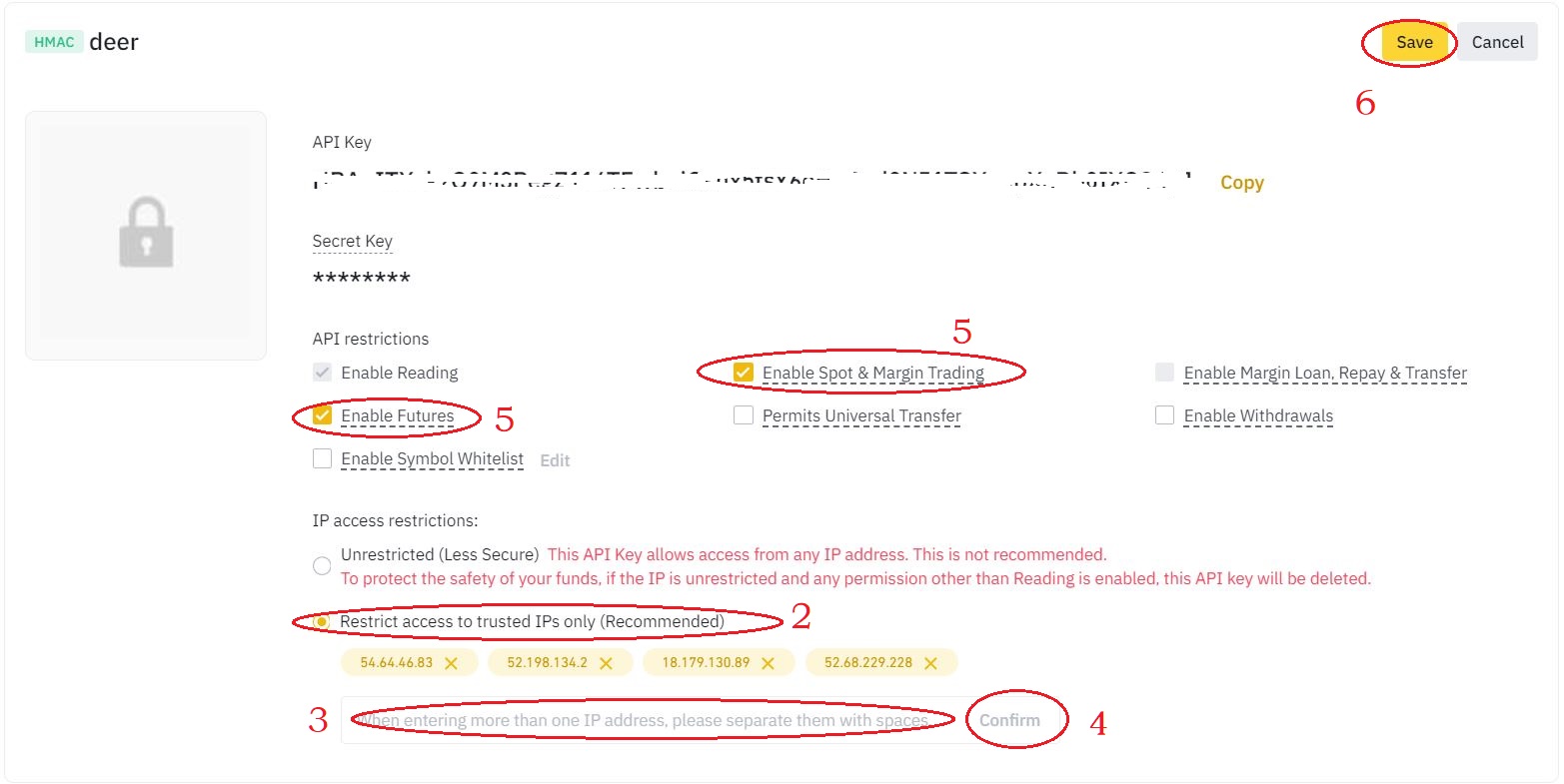
(2) Select 【Restrict access to trusted IPs only (recommended)】.
(3) Copy & paste trusted IPs into the address box:
54.64.46.83 52.198.134.2 18.179.130.89 52.68.229.228(4) Click 【Confirm】.
(5) Checked 【Enable spot and margin trading】 and 【Enable futures】.
(6) Click 【Save】.
¶ 9. Please follow the on-screen and device instructions to perform security verification operations.