¶ BingX - New API tutorial
The following is a general tutorial for creating an API. However, we recommend using sub-account APIs for trading whenever possible to reduce the risk to the main account. Sub-accounts are independent accounts that contribute to enhanced security and facilitate the assessment and optimization of different trading strategies' performance.
Sub-Accounts Page.
¶ 1. Log in to BingX Official Website
(1) Go to the BingX official website and log in.
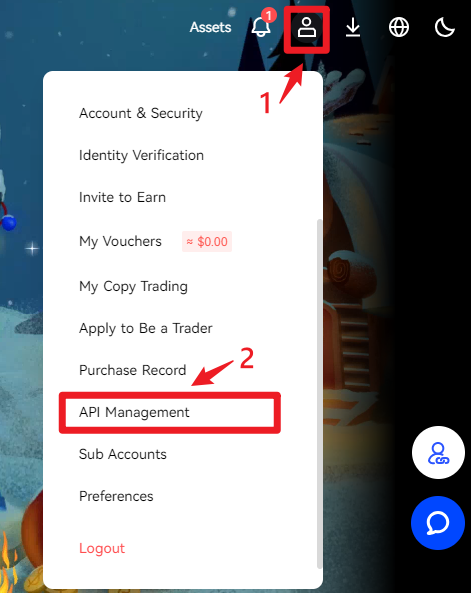
(2) Click on your profile picture, then find 【API Management】 and click on it.
¶ 2. Create API
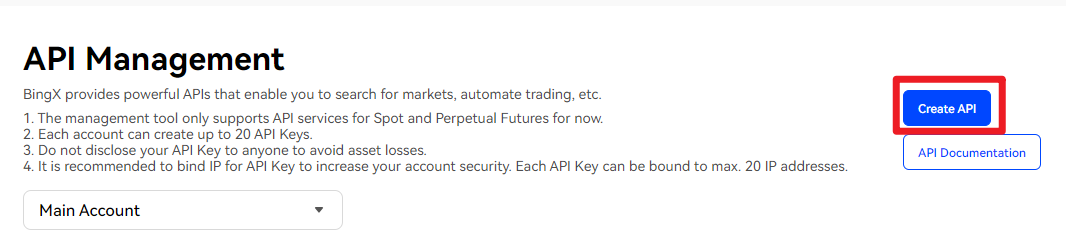
(1) On the API Management page, click on 【Create API】.
¶ 3. Enter Tags
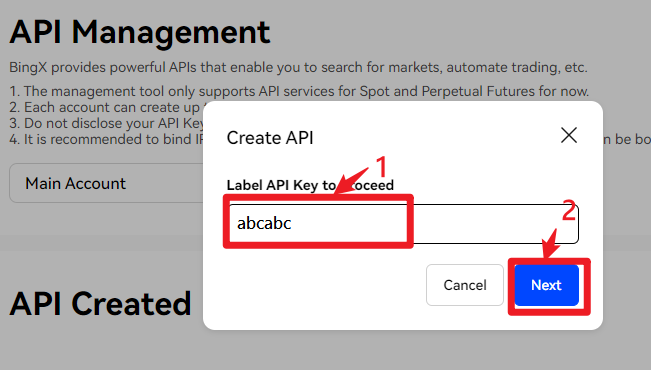
(1) Please enter API key tags on your own, then click 【Next】.
¶ 4. Follow the on-screen and device instructions for security verification.
¶ 5. Copy API Key and Secret Key.
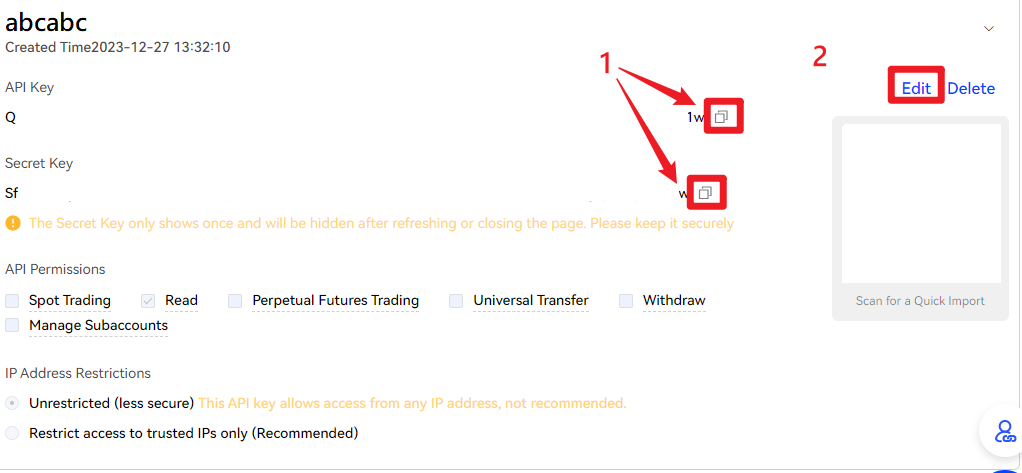
Please immediately copy the API Key and Secret Key and save them in a notepad or text file to prevent loss.
After copying, click on the right 【Edit】 to enter the editing page.
¶ 6. Edit Restrictions
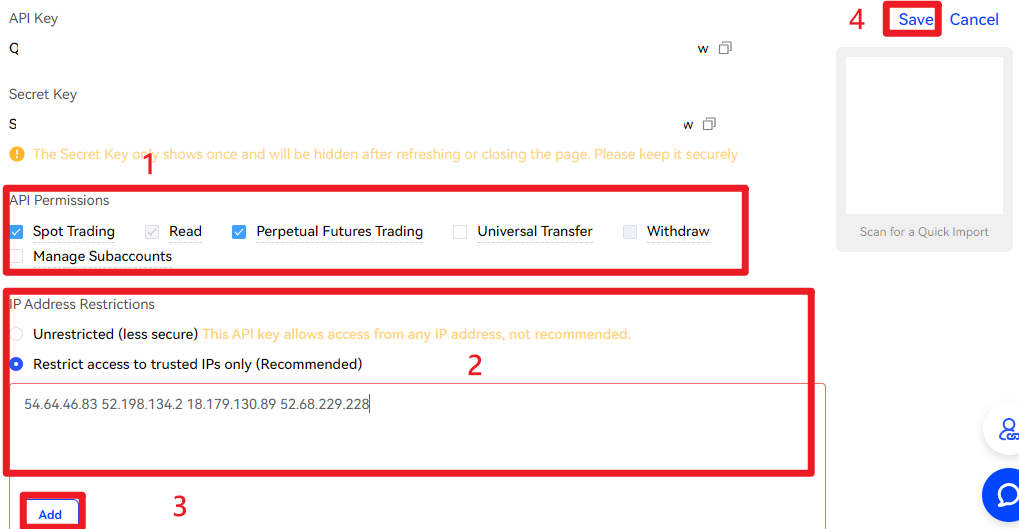
(1) Check 【Spot Trading】 and 【Perpetual Futures Trading】.
* To trade using a sub-account, please check 【Manage Subaccounts】
(2) Choose 【Restrict Access to Trusted IPs Only (Recommended)】.
(3) Copy and paste the trusted IP into the address box, and click 【Add】.
54.64.46.83,52.198.134.2,18.179.130.89,52.68.229.228(4) Click on the upper right 【Save】.
¶ 7. Follow the on-screen and device instructions for security verification.