¶ KuCoin - Adding API Tutorial
The following is a general tutorial for creating an API. However, we recommend using sub-account APIs for trading whenever possible to reduce the risk to the main account. Sub-accounts are independent accounts that contribute to enhanced security and facilitate the assessment and optimization of different trading strategies' performance.
Sub-Accounts Page.
¶ 1. Log in to KuCoin Official Website
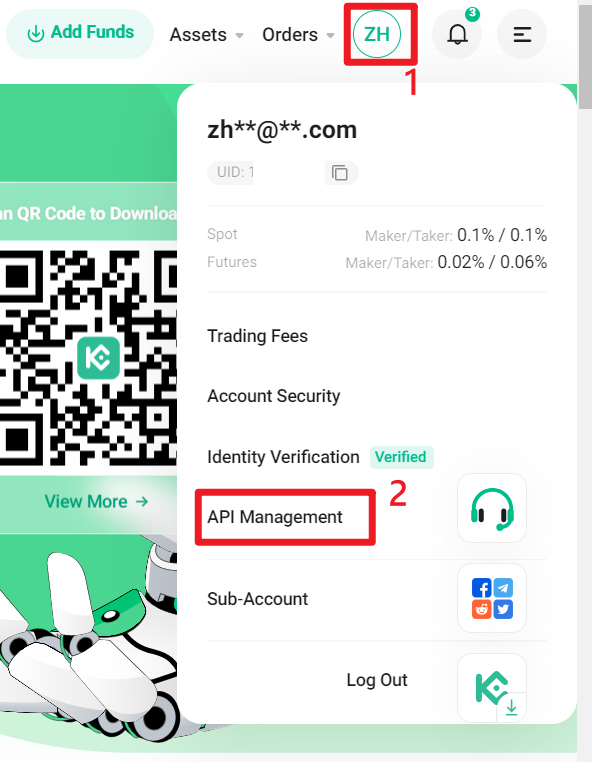
(1) Go to the KuCoin official website and log in.
(2) Click on your profile picture, then find 【API Management】 and click on it.
¶ 2. Create API
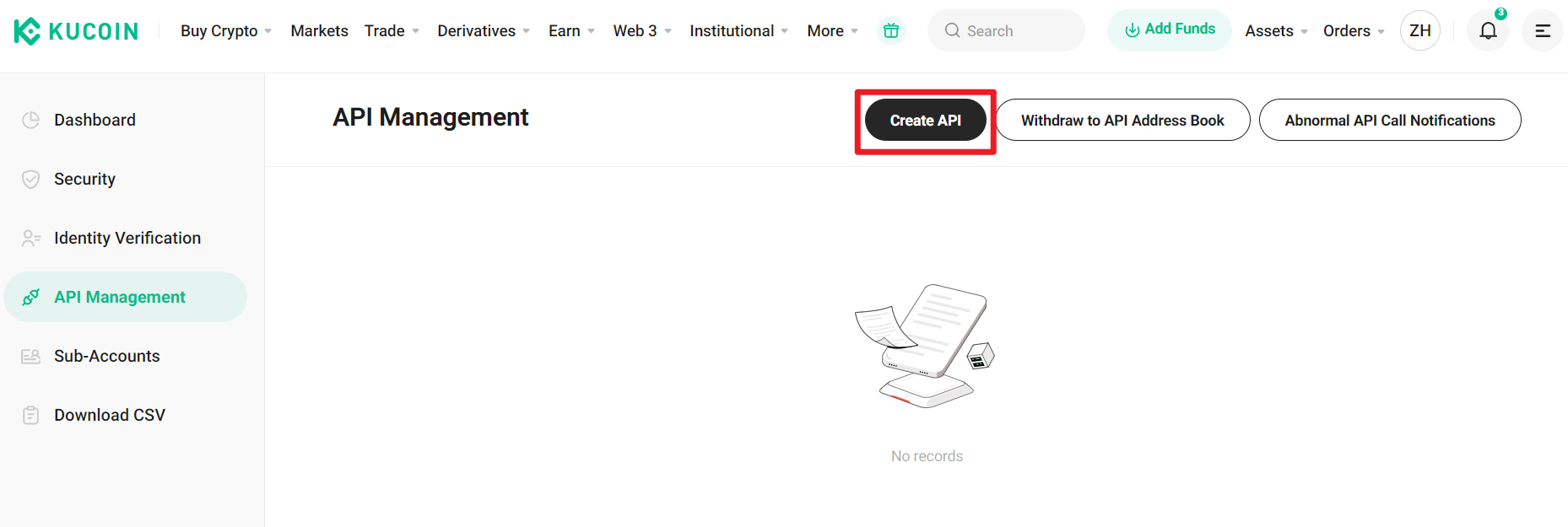
(1) On the API Management page, click on 【Create API】.
¶ 3. Enter Tags and Permissions
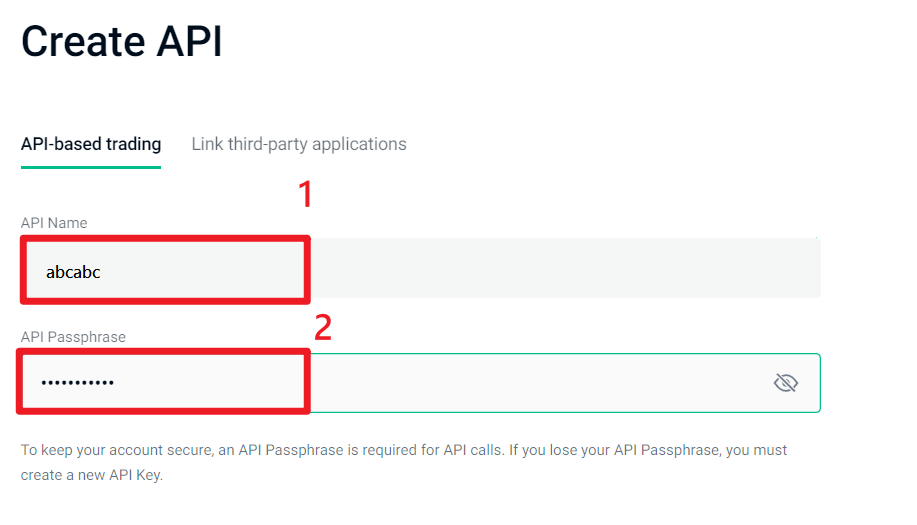
(1) Enter API Name tags on your own.
(2) Enter API Passphrase on your own.
(3) Check 【Spot Trading】, 【Margin Trading】, and 【Futures Trading】.
(4) Click on IP restriction Yes
(5) Copy and paste the trusted IP into the address box:
54.64.46.83,52.198.134.2,18.179.130.89,52.68.229.228(6) Click 【Add】.
(7) Click on 【Next】 below.

¶ 4. Follow the on-screen and device instructions for security verification.
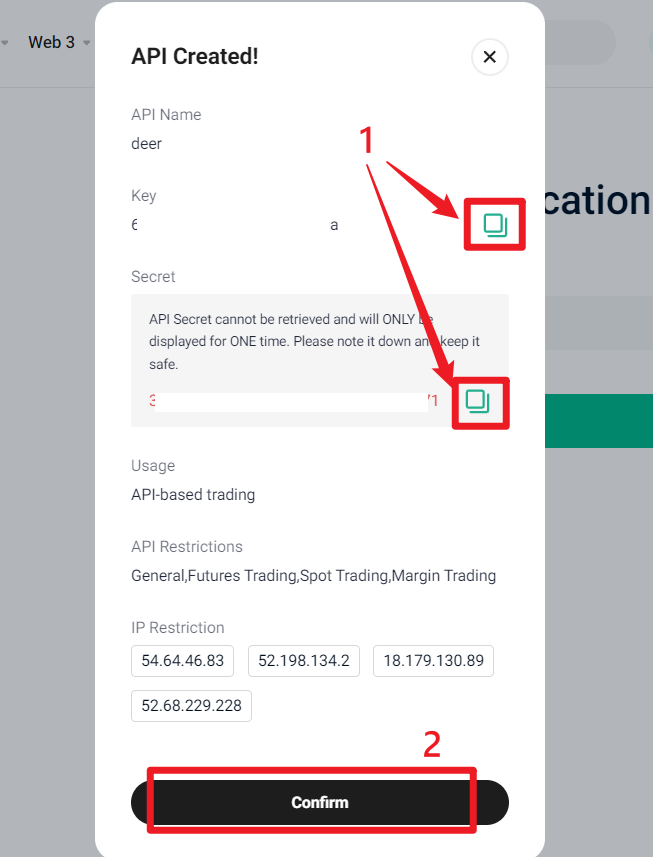
¶ 5. Copy API Key and Secret Key.
Please immediately copy the API Key and Secret Key and save them in a notepad or text file to prevent loss.